

Think of tags as a built-in assistant reminding you who you know. Plus, depending how someone is tagged depends on what Automated Relationship System they can be put into.
TAO comes with the following pre-loaded tags:
Actor, Agent: Commercial, Agent: Print/Modeling, Agent: Theatrical, Agent: VO, Career Coach, Casting Director, Casting Associate, Casting Assistant, Choreographer, Director, Family, Filmmaker, Friend, Makeup Artist, Manager, My Team, Photographer, Producer, Publicist, Teacher: Acting, Teacher: Commercial, Teacher: Dance, Teacher: Singing ,Teacher: Voice Over, Writer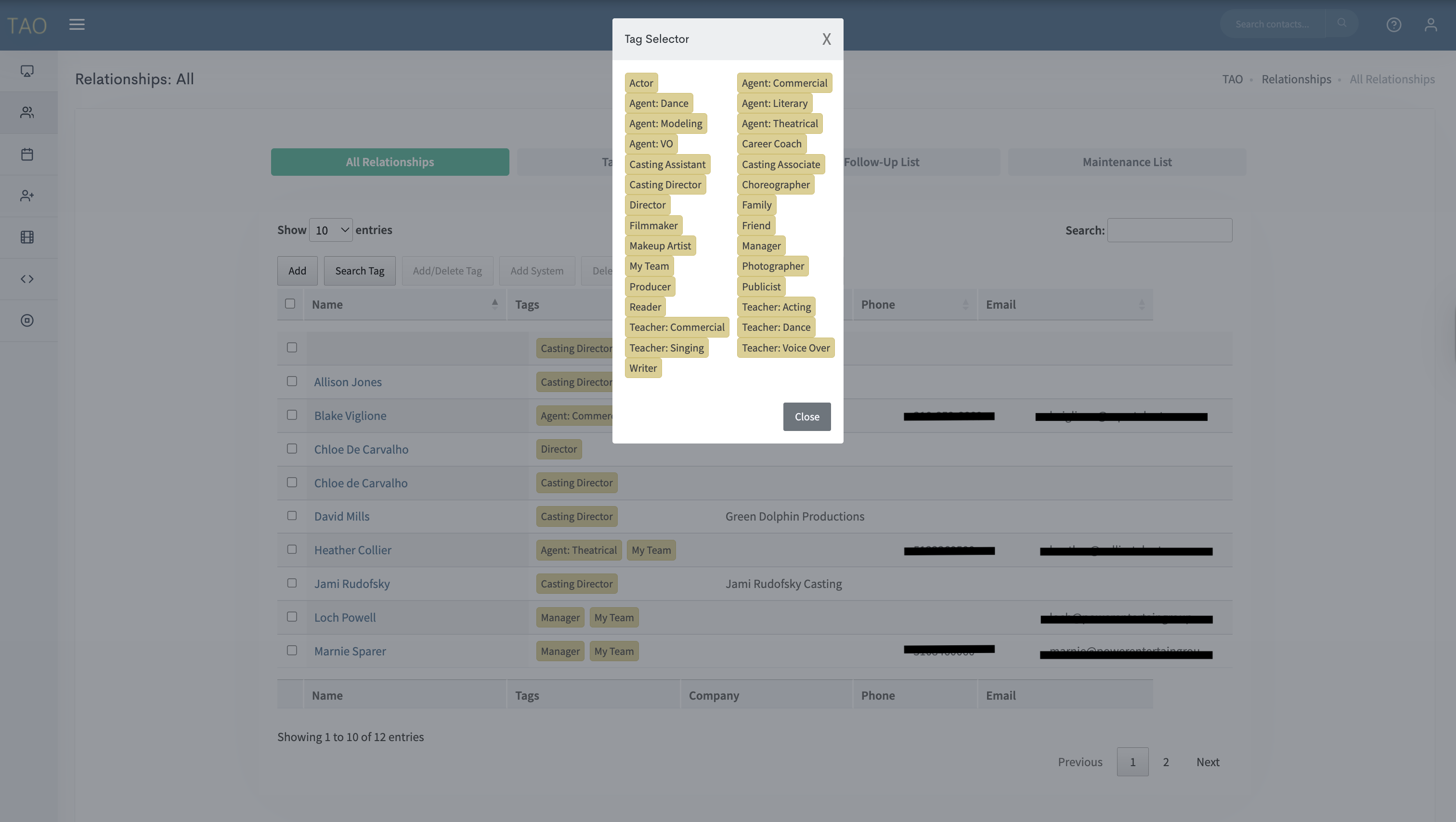 It is vital that you tag EVERY contact you put into your system. It’ll allow you to search better and faster AND will allow you to use our built in Automated Relationship Systems. Which will make your life easier :)
Creating Custom Tags
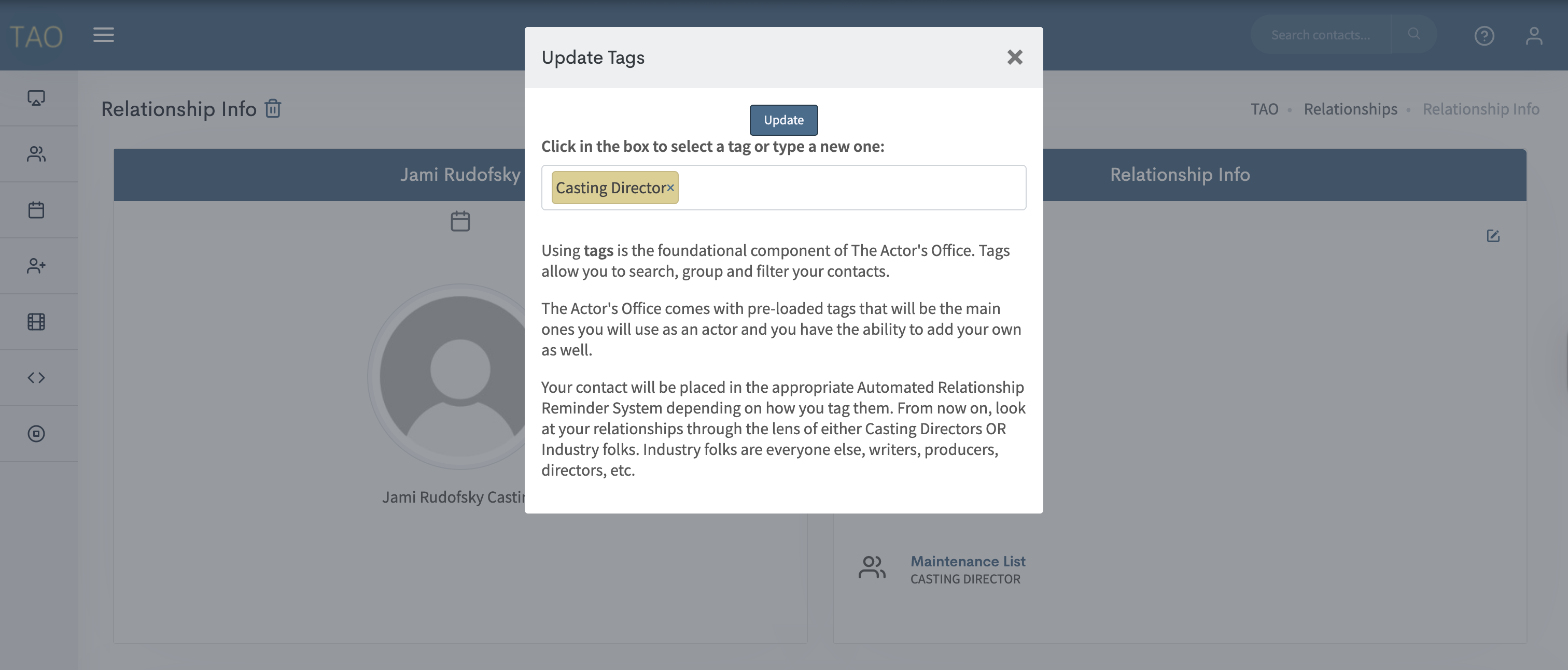
You can also add your own custom tags depending on what you need for your career. Maybe you add a tag for DP’s, Musical Directors, Showrunners, etc. Decide what tags you’d like to run your acting business and add them.Simply click Add a Tag OR the + in your Contact’s Profile. Type a new Tag in the pop up box. If that tag is not already in your system, a button will appear that says Add Name of Tag. Click Add. Then click Update.
 Adding more than one Contact to a Tag at once
You can batch update the tags of your contacts.
To add more than one contact to a tag at a time select the contacts by clicking the box next to their name and then add a tag.
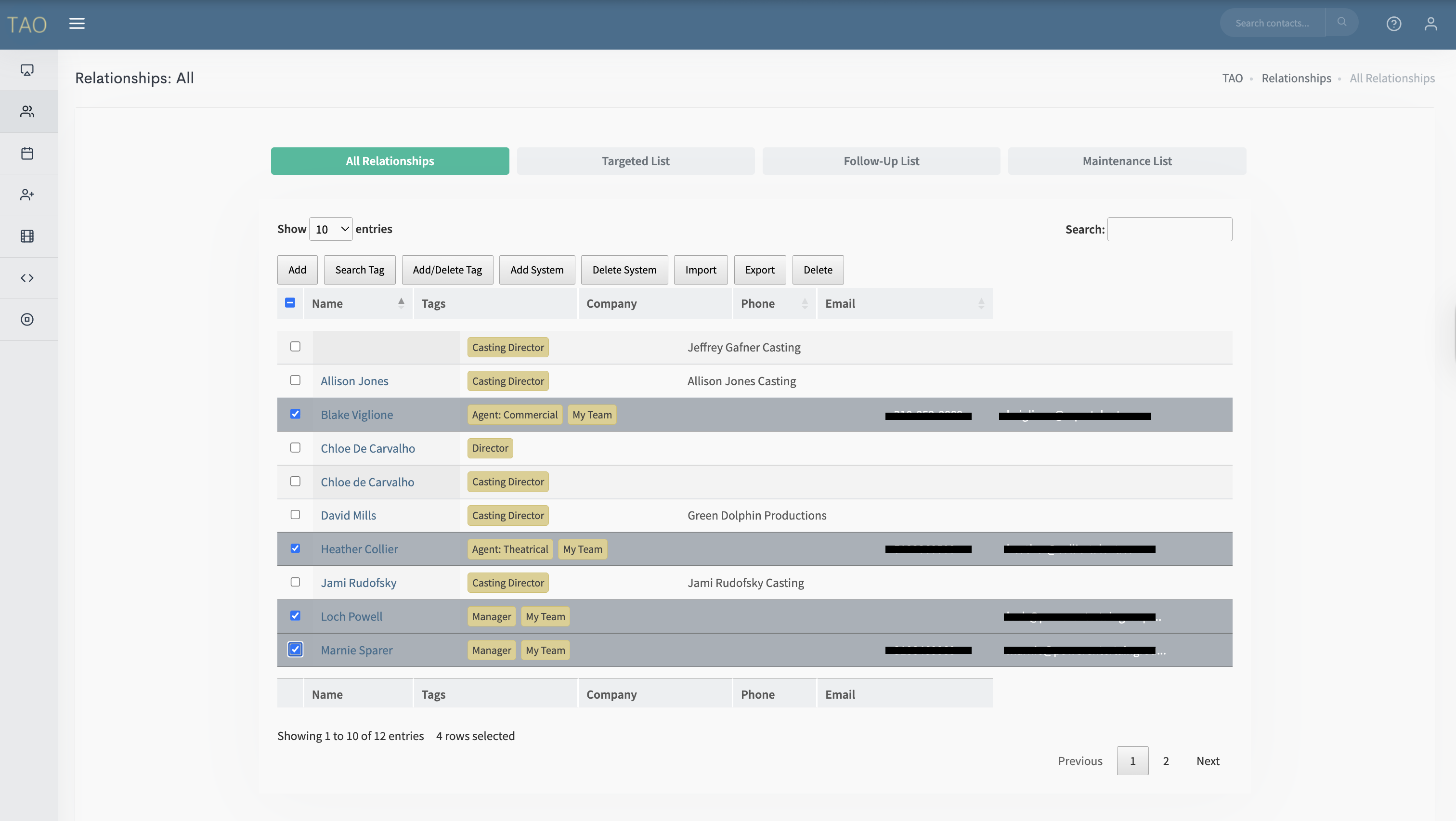 From here a pop-up will open and you can select which tag to add or remove from the selected contacts.